
QR Code Generator including code to use on your website
Make a QR code for any text or link in your browser, and copy the code that runs the generator to use it on your own website.
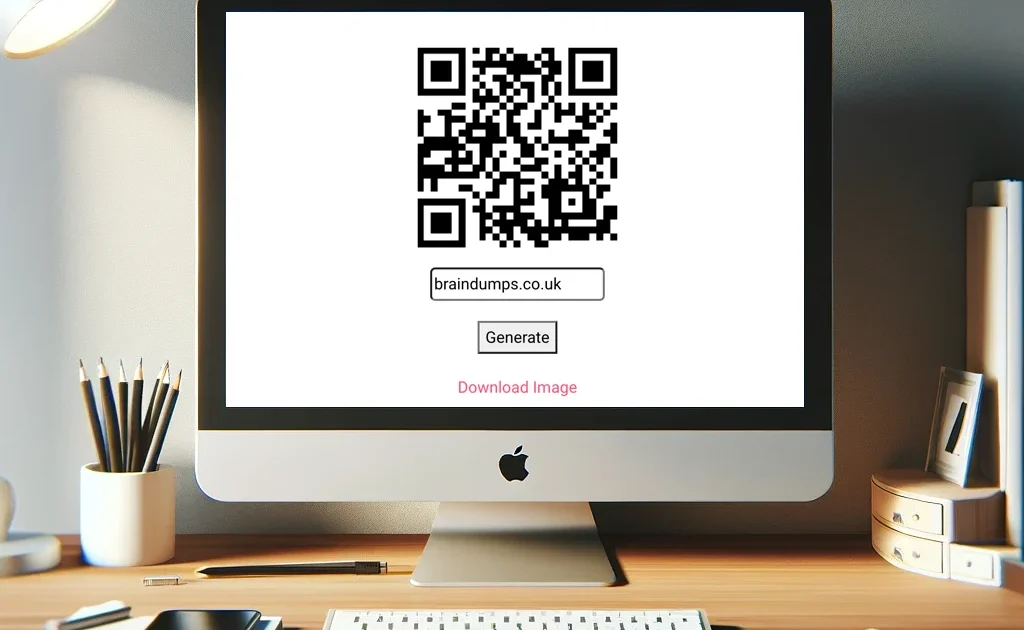
This QR code reader can be used on your website, if you would like to link back to me it would be greatly appreciated 😉
I have used extensive comments to cater for all levels of programmers. I have used a CDN link instead of an included file for ease of use, if the link changes it will stop working which is the downside.
<!DOCTYPE html>
<html>
<head>
    <title>QR Code Generator</title>
    <!-- Including the QR Code library from a CDN for QR code generation -->
    <script src="https://cdn.jsdelivr.net/gh/davidshimjs/qrcodejs/qrcode.min.js"></script>
</head>
<body>
    <!-- Main container with flexbox to center contents both vertically and horizontally -->
    <div style="display: flex; justify-content: center; align-items: center;">
        <div>
            <!-- Container for the QR code. It starts empty and will be filled with a QR code canvas -->
            <div id="qrcode" style="margin: auto; width:200px; height:200px;"></div>

            <!-- Input field for the user to enter the desired text for the QR code -->
            <!-- It is pre-filled with 'braindumps.co.uk' as the default value -->
            <input id="text" type="text" placeholder="Enter text" value="braindumps.co.uk" style="margin-top: 20px; display: block; margin-left: auto; margin-right: auto;">

            <!-- Button to trigger QR code generation -->
            <button onclick="generateQRCode()" style="display: block; margin: 20px auto;">Generate</button>

            <!-- Download link for the generated QR code image. Initially hidden. -->
            <a id="downloadLink" style="display: none; margin: auto; text-align: center;">Download Image</a>
        </div>
    </div>

    <!-- JavaScript to handle QR code generation and image download -->
    <script type="text/javascript">
        // Function to generate the QR code
        function generateQRCode() {
            // Selecting the container where the QR code will be displayed
            var qrcodeContainer = document.getElementById("qrcode");
            qrcodeContainer.innerHTML = ''; // Clear any previous QR code

            // Getting the text input by the user
            var text = document.getElementById("text").value;

            // Creating a new QR code in the qrcodeContainer
            var qrCode = new QRCode(qrcodeContainer, {
                text: text, // Text to encode in the QR code
                width: 200, // Width of the QR code
                height: 200, // Height of the QR code
                colorDark: "#000000", // Color for the dark parts of the QR code
                colorLight: "#ffffff", // Color for the light parts of the QR code (background)
                correctLevel: QRCode.CorrectLevel.H // Error correction level
            });

            // Function to create a download link for the QR code image
            setTimeout(function() {
                var qrCanvas = qrcodeContainer.querySelector('canvas');
                var img = qrCanvas.toDataURL("image/png"); // Convert canvas to image (PNG format)

                // Setting up the download link
                var downloadLink = document.getElementById("downloadLink");
                downloadLink.href = img; // Link to the QR code image
                downloadLink.download = "QRCode.png"; // Default file name for download
                downloadLink.innerHTML = "Download Image"; // Text for the download link
                downloadLink.style.display = "block"; // Make the download link visible
            }, 300);
        }

        // Automatically generate the default QR code when the page loads
        document.addEventListener('DOMContentLoaded', function () {
            generateQRCode();
        }, false);
    </script>
</body>
</html>